Converting Nook Books With Epubor: Is it a Scam?

DRM removal tool claims to be the only still-functional method left to decrypt and convert Nook epub DRM, but is it actually true?
In recent years, as Barnes & Noble has ignored and depreciated various Nook apps like Nook for PC and Nook Study, the methods used to decrypt Nook DRM so you can freely read the books you purchased on any device broke. It became impossible to authenticate with the Nook servers and receive a key to break the DRM.
So I was highly skeptical that there is one singular tool that claims they have the only solution. And after purchasing a couple Nook books recently, with no way to read them on my Kindle any longer, I was desperate for a solution.
Epubor is fairly pricey, and their site and overall pricing are sketchy to say the least. You can get a yearly license for $24.99, or a lifetime license for $49.99 which promises to include any and all updates to the app. This is pretty damn high for operations that can be accomplished for free using methods in Calibre that I’ve previously outlined, but now that Nook is out of the equation, if this is really the only way to free those books, this might be worth it.
In order to generate a Nook DRM key, you have to email Epubor support your Nook username and password. While alarm bells should rightfully start ringing, this was how you used to create Nook keys in the past. In Calibre plugins it would always stay client-side however, and you didn’t give them to a third party. Still I’ll never ever feel comfortable sending credentials to some unknown party, through email no less.
I did it though. The things I do for content. And books, I suppose. All this just to read books I have legally purchased from a defunct publisher, books that are no longer being sold digitally on other retailers, and probably aren’t supposed to be for sale on Nook right now. This just shows how much B&N pays attention to the Nook brand and ebooks in general.
About a full 24 hours after potentially giving away my Barnes & Noble account, I received a reply with a key file and a link to instructions, though aside from putting the key file in the correct folder (epuborkeys in your User folder), the rest is straightforward.
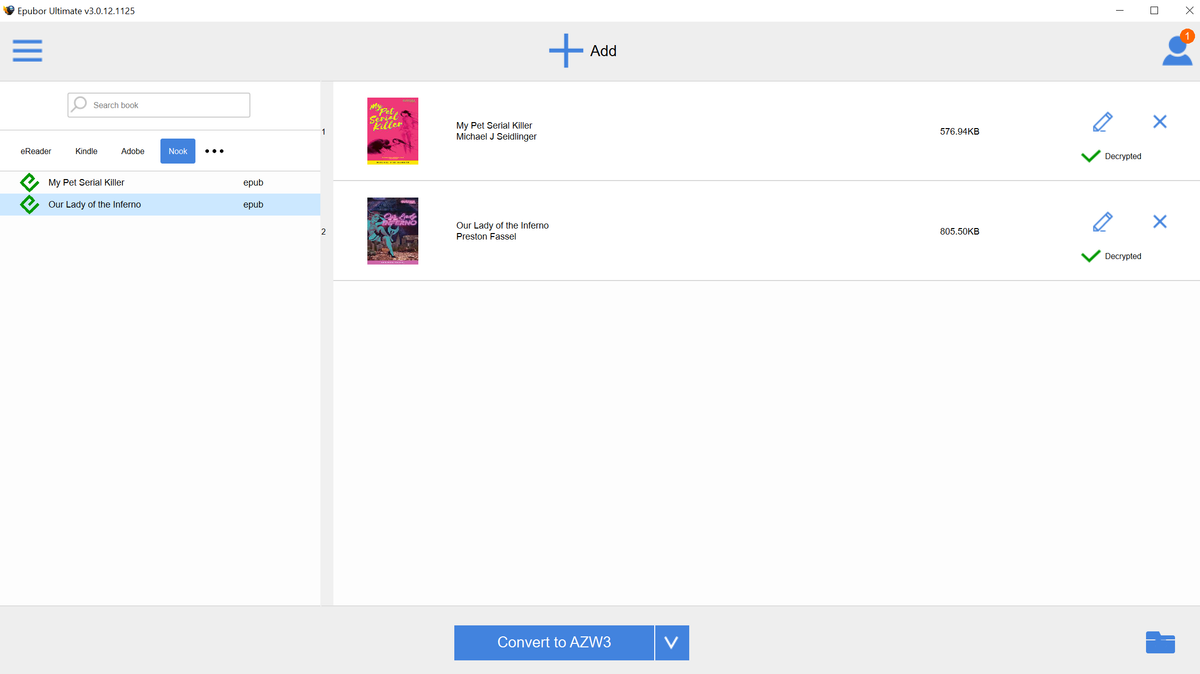
Epubor automatically locates your DRM locked books and from here the process is simple: you just drag the books from the left to the right side and they’re decrypted. Then you can convert them to the format you need in the same interface.

It’s basic, straightforward, but most importantly, it works. I added the books to my Calibre library after converting them to .azw3 and opened them up and they’re reading just as intended.
All in all, if you have a large collection of Nook books that you need to backup or move to a more modern e-reader, Epubor will get the job done. If you plan on using it once to batch convert, you probably only need to grab the yearly option and then cancel to save some money.
Also, let’s all agree to avoid buying Nook ebooks like the plague. Aside from Apple’s iBooks, they’re currently the most locked-down ecosystem and their DRM is the biggest pain. If I could have found these two books on another retailer, I would have bought them there, no question.